 Project 7
Project 7: Fractals and Trees
The assignment is to bring together the lsystem and turtle_interpreter pieces to make a scene that consists of fractal shapes, trees, and other turtle graphics (think back to projects 1, 2 and 3). Your top-level program will include both the lsystem and turtle_interpreter modules.
Tasks
-
Create a file called abstract.py. The file will need to import
sys, turtle, lsystem, and turtle_interpreter. Write a function
that creates an abstract image using L-systems. This image should
be constructed to take advantage of your Python programming skills
-- don't rely wholly on the random package and a loop. Your goal
should be complexity, yet order in your image and simplicity in
your code. One idea is to make an interesting pattern by drawing
the same L-system in different positions. Using a hierarchy of
functions is also a powerful tool.
Your image should include at least three different L-systems, with at least one of them using brackets. Don't feel beholden to use the suggested number of iterations or angles for any L-system. You can get the filenames for the L-system files from the command line, by asking the user for them, or by hard-coding them into your code.
In your image function, you can use turtle commands to pick up the pen, move it to a new location, change colors, change pen widths, and put down the pen before drawing a new shape.
A picture with 3 different L-systems is required image 1.
-
Make a new file grid.py that contains a function that draws a set of 9
trees based on the systemB L-system, or some
variation of it that has brackets. Order the 9 trees as a 3x3 grid.
From left to right the number of iterations of the L-system should go
from 1 to 3. From top to bottom, the angle of the L-system should be
22, 46, and 60. Use a double for-loop to create the grid.
A picture with a grid of L-systems is required image 2.
-
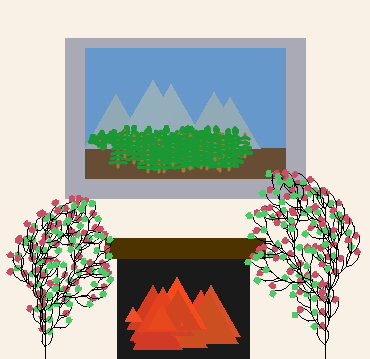
Make a new file scene.py that makes a non-abstract scene with two or
more objects generated using L-systems. The scene must include at
least one new L-system with brackets (e.g. a tree) that you haven't
used yet. You can use one of the L-systems from
ABOP (look at
pages 9, 10, and 25 for single-rule L-systems)
or make up one of your own. The scene does not need to be complex,
but your code should exhibit modularity and good design.
A scene that includes 2 different L-systems is required image 3.
Extensions
- Import one of your scenes from project 2 or 3 and add trees or fractal shapes to them. It's all turtle graphics, after all.
- Make your abstract image function take in (x, y, scale) as parameters and demonstrate you can properly translate and scale the abstract image by including multiple copies, at different locations and scales, in one scene.
- Make task 2 more interesting by adding additional elements to the image that also change across the grid. For example, make the trees move from summer to fall to winter along the horizontal or vertical axis.
- Give the function for task 2 the parameters (x, y, scale) and demonstrate you can properly translate and scale the grid.
- Create an L-system of your own that draws something interesting. Start by editing existing L-systems either from the lab or from the Algorithmic Botany Plants book.
- Add leaves, berries, or color to your trees by adding new alphabet symbols to the rules and cases to your turtle_interpreter. For each new symbol you use in a rule, you will need another elif case in your drawString function.
Writeup and Hand-in
Turn in your code by putting it into your private handin directory on the Courses server. All files should be organized in a folder titled "project7" and you should include only those files necessary to run the program. We will grade all files turned in, so please do not turn in old, non-working, versions of files.
Make a new wiki page for your assignment. Put the label cs151f17project7 in the label field on the bottom of the page. But give the page a meaningful title (e.g. Stephanie's project 7).
Your writeup should follow the outline below.
-
A brief summary of the task, in your own words. This
should be no more than a few sentences. Give the reader (a
peer not in the course) context and identify the key
purpose of the assignment. You can assume your reader has
read through your prior assignments.
Writing an effective summary, or abstract, is an important skill. When you are writing yours, consider the following questions.
- Does it describe the CS purpose of the project (e.g. writing well-organized and efficient code)?
- Does it describe the specific project application (e.g. making pictures of space stuff)?
- Does it describe your the solution or how it was developed (e.g. what were you trying to draw and how)?
- Does it describe the results or outputs (e.g. did it turn out reasonably well)?
- Is it concise?
- Are all of the terms well-defined?
- Does it read logically and in the proper order?
- A description of your solution to the tasks, including any images you created. This should be a description of the form and functionality of your final code. Note any unique computational solutions you developed. If you include code snippets, they should be small segments of code--usually one or two lines and normally much less than a whole function--that demonstrate a particular concept. If you find yourself including more than 5-10 lines of code, it's probably not a snippet.
- A description of any extensions you undertook, including images demonstrating those extensions. If you added any modules, functions, or other design components, note their structure and the algorithms you used.
- A brief description (1-3 sentences) of what you learned.
- A list of people you worked with, including TAs, and professors. Include in that list anyone whose code you may have seen, such as those of friends who have taken the course in a previous semester.
- Don't forget to label your writeup so that it is easy for others to find. For this lab, use cs151f17project7