CS 151 Fall 2023 Syllabus Labs/Projects
Project 9: Mosaics & Shapes
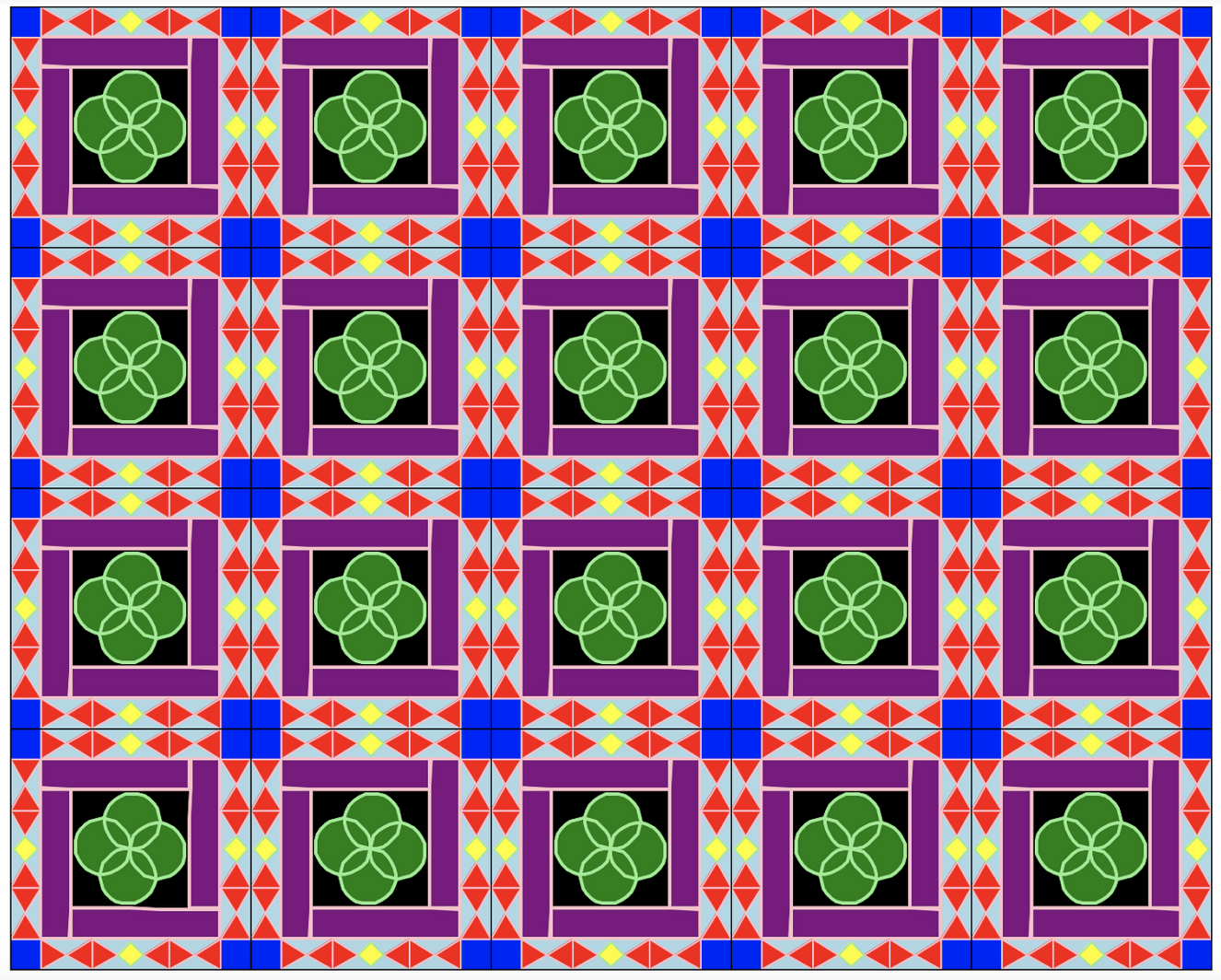
In this project, you will practice creating parent-child class inheritance relationships to create new, unique shapes with minimal redundant code.
Tasks
1. Two more Shape child classes
In shapes.py, create at least two more classes that inherit from Shape (not counting Square). The constructor for each one should contain at least parameters for
distancecolorfill
Write one test function in shapes.py that draws all 2+ shapes. The function should showcase the properties of the different shape classes (fill, color, size, etc.).
Take a screenshot — this is Required Image 1 in your project report.
Hint: You will need to call the TurtleInterpreter hold method from your test function to keep the window open. The getTI method could be useful for this.
2. Create a Tile
Create a new file named mosaic.py.
Important: mosaic.py should NOT import turtle or turtle_interpreter. The goal this week is to do all drawing using objects of child classes of Shape (think of it as a fun challenge!). Drawing using TurtleInterpreter methods or using turtle indirectly through TurtleInterpreter is off-limits
Loosely inspired by MC Escher or Islamic Mosaics, design a tile. For this assignment, a tile is a square that has 4 or more shapes inside of the square.
In a file named mosaic.py, create a function tile(x, y, scale) that draws 4 or more shapes inside a square. Define the lower left corner of the tile at location (x, y). The scale determines the size of the tile and scales the pattern as well. The tile by default (when scale is 1) should be 100x100 (should be 100 distance wide and 100 distance high). If scale is 2, then the tile should be 200x200.
Take a screenshot of the tile— drawn in multiple places at different scales. This is Required Image 2 in your project report.
3. Create a Mosaic
Create a grid of 20 tiles.
Define a function mosaic(x, y, scale, Nx, Ny) that draws a 2D array of tiles Nx by Ny, where each tile is of size scale*100 by scale*100, and the lower left corner of the mosaic is at (x, y). So if scale is .5, Nx is 3, and Ny is 4, the function should draw twelve 50x50 tiles in a grid three across and four down.
An image of at least 20 tiles (5 x 4) in a non-square arrangement is required image 3.
In your report section called Art Reflection discuss which compositions inspired you and what aspects of theirs you emulated.
Take a screenshot — this is Required Image 3 in your project report.
Check reproducibility
In order to grade your project, we need to be able to run your code and get the same results as you do! In your project submission ZIP file, please include any L-system .txt files that are needed run your code.
Here is a summary of the expected outputs from each of the source code files that you created:
python3 shapes.py: Draw a test collection of shapes that you implemented throughShapeclass inheritance.python3 mosaic.py: Draws your mosaic scene. If you use command-line arguments document usage.
If you use command-line arguments, please explain what they are and provide an example way to run your code in either code comments or your report.
Extensions
Congratulations on completing the core tasks! If your code and report meet the above expectations, you’ve already earned up to 26/30 points for this project.
The remaining 4/30 are a chance for you to earn credit for exploring parts of this project and digging deeper to express your creativity! This is entirely optional; 26/30 is a B and is a perfectly respectable place to stop. Extensions are open-ended and exist to compliment the structured core project. Explore and learn something new that interests you! Concentrating your energy on 1-2 "deep" extensions that challenge you will earn you more points than many small, "shallow" extensions.
You can pick your own topics that interest you. Here are a few examples:
- Make non-square tiles that interlock. Rectangles are easy, hexagons, triangles, or n-gons are a real extension.
- Make more tile functions and mix them around in the mosaic function.
- Animate your tiles. Create a sequence of images to build an animation.
- Make more shape classes that do interesting things. Making a fixed sequence of characters is easy. Make a shape class where the strings are the result of executing a function. L-systems are one example of a dynamically created string, but there are many other ways to do that.
- Make new L-systems and add characters to the vocabulary that do interesting things.
- Modify
drawStringso that when drawing a tree the branches droop down like gravity is pulling at them. - Use dictionaries rather than list of lists to organize and apply your L-system rules. Update all necessary parts of your L-system class to switch over. All the code that you wrote for the project should work with your new system. Note: I HIGHLY recommend making a backup of your working project before attempting this!
Submission checklist
To turn in your project, make sure you do all of the following:
- Check the rubric in Google Classroom and make sure your report and code contain all the required parts.
- Connect to Filer and navigate to
/Courses/CS151_A_FA/<your username>/Private/Projects/<your username>_P09. - Copy your latest project code inside
/Courses/CS151_A_FA/<your username>/Private/Projects/<your username>_P09. - Create a zip file of your folder
<your username>_P09. - Attach (drag) the zip file to the posted project assignment on Google Classroom.
- Click Turn In on your Google Doc report on Google Classroom.