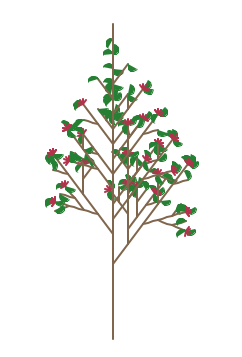
Project 7: Better Trees
As with last week, the assignment is to bring together the lsystem and
turtle interpreter classes to make a scene that consists of fractal shapes
and trees. Your top-level program will include both the lsystem and
interpreter modules. Unlike last week, however, your scene.py may not
include the turtle module or make any calls to turtle commands directly. If
you want to draw something, you have to pass a string to the
interpreter drawString function. There will be no exceptions to that
rule. (Note that you may attach arbitrary meaning to any character not
used by an L-system grammar.)
Tasks
-
We want to be able to change the color of elements in an Lsystem
without affecting the color of other elements. We would also like to
avoid setting colors, widths, or other turtle drawing features by adding new parameters to
drawString. Modify your drawString function so that it
supports five additional characters in the strings.
-
'<' - the left angle bracket should push the current turtle color
onto a color stack. You'll need to create a separate colorstack
variable similar to the one used for position and heading. You can
use the function turtle.color() to get the turtle's current color.
Note that this function returns a duple of colors. You should append
just the first element of the tuple onto the color stack
(e.g. turtle.color()[0] ).
-
'>' - the right angle bracket should pop the current turtle color
off the color stack and set the turtle's color to that value.
-
'g' - set the turtle's color to green (e.g. (0.15, 0.5, 0.2) ).
-
'y' - set the turtle's color to light yellow ( e.g. (0.8, 0.8, 0.3) ).
-
'r' - set the turtle's color to red ( e.g. (0.7, 0.2, 0.3) ).
Once you have made the modifications to drawString, try running systemFL using the
classtest.py test function from the lab.
You can also use the test function single.py
to draw just a single tree.
-
Create a file make_image1.py. Have the file import lsystem and turtle_interpreter
(the new versions). Make a function that creates a simple image with
at least two different multi-rule L-systems.
This is required image 1.
-
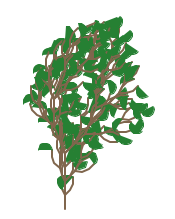
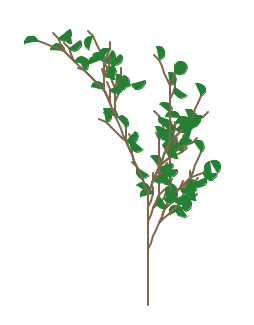
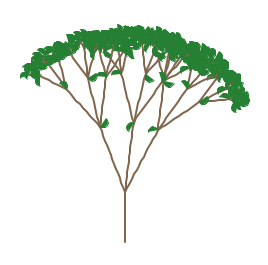
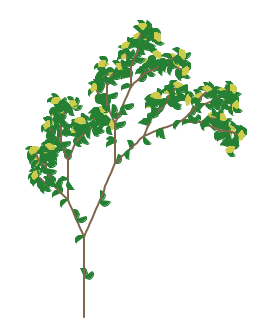
Create a file make_image2.py and write a function that makes a forest or
garden of flowers that includes L-systems with leaves or other
ornaments that make use of the color store/restore. You can use the symbol L to indicate a leaf, which could be drawn as a semicircle or a circle or a line. The following are
variations with leaves and flowers, all defined by strings (no special
characters except L). Try to include L-system trees with different
numbers of iterations.
This is required image 2.
-
Make two new L-systems. They can be variations on one of the ones
provided, an L-system from the ABOP book, or one you create on
your own. The L-systems of interest are given in the
ABOP book
chapter 1, pages 10, 11, and 25.
If you use a variation, include both the original and your variant in
your writeup. (The difference does not have to be large.)
In the file make_image3.py, create a scene function that makes an image
using your L-systems after 2, 3, and 4 iterations. Note, if using a
different pattern of iterations is more interesting (e.g. 4, 5, 6) you
are free to use a different set of three iteration values. Indicate
what you used in your writeup.
This is required image 3.
Extensions
Each assignment will have a set of suggested extensions. The required tasks constitute about 85% of the assignment, and if you do only the required tasks and do them well you will earn a B+. To earn a higher grade, you need to undertake one or more extensions. The difficulty and quality of the extension or extensions will determine your final grade for the assignment. One complex extension, done well, or 2-3 simple extensions are typical.
-
Have each tree exhibit some variation by modifying aspects of how it
is drawn.
-
Add leaves, berries, or color to your trees by adding symbols to the
rules and cases to your turtle interpreter. For each new symbol, you will
need another elif case in your drawString function.
-
In the Lsystem class create a method def __str__(self) that
returns a nicely formatted string that might look like the following
when printed.
base X
rule X -> F-[[X]+X]+F[+FX]-X
rule F -> FF
The __str__ function gets called automatically when an object is
printed out. It's also called to implement casting an object to a
string using str(thing). Note that your __str__ function should
not print anything out. It should build a string from the
information in your L-system and return the string. Remember
that '\n' is how you create a newline character.
In the test main function the line:
print lsys
should print out your nicely formatted string instead of the generic
class instance string when you run your lsystem.py file.
See if you can draw the base string and rule below the image of a tree from that L-system.
-
Get fancy with required images 2 or 3. Note that fancy means using
programming structures (functions, loops, conditionals, lists, or
math) to make a more interesting scene.
-
Make more L-systems.
-
Demonstrate that you can create other kinds of shapes (like squares,
triangles, etc) by passing strings to the turtle interpreter's drawString
function.
-
Use a Python language feature new to you (not just a new library feature or function)
Writeup and Hand-in
Turn in your code by putting it into your private handin directory on the Courses server. All files should be organized in a folder titled "Proj7" and you should include only those files necessary to run the program. We will grade all files turned in, so please do not turn in old, non-working, versions of files.
Make a new wiki page for your assignment. Put the label cs151s13project7 in the label field on the bottom of the page. But give the page a meaningful title (e.g. Stephanie's project 7).
In general, your intended audience for your write-up is your peers not in the class. Your goal should be to be able to use it to explain to friends what you accomplished in this project and to give them a sense of how you did it. Follow the outline below.
-
A brief summary of the task, in your own words. This should be no
more than a few sentences. Give the reader context and identify the
key purpose of the assignment.
-
A description of your solution to the tasks, including any images
you created. This should be a description of the form and
functionality of your final code. You may want to incorporate code
snippets in your description to point out relevant features. Note
any unique computational solutions you developed. Code snippets
should be small segments of code--usually less than a whole
function--that demonstrate a particular concept. If you find
yourself including more than 5-10 lines of code, it's probably not a
snippet.
-
A description of any extensions you undertook, including images
demonstrating those extensions. If you added any modules,
functions, or other design components, note their structure and the
algorithms you used.
-
A brief description (1-3 sentences) of what you learned. For example, think about the answer to these questions: Did you have any setbacks or frustrations? If so, how did you overcome them? Did you encounter any surprises (good or bad)? Did you do any experimenting and, if so, how did it turn out?
-
Don't forget to label your writeup so that it is easy for others to find. For this lab, use cs151s13project7