CS 151 Fall 2021 Syllabus Labs/Projects
Project 4: Zelle Scene & Futurism
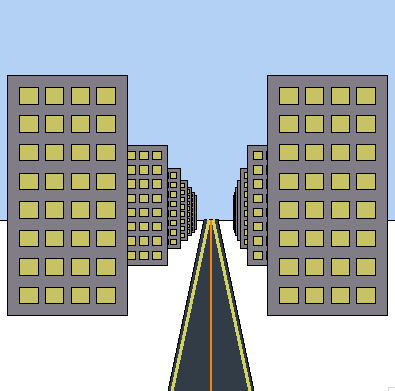
In this project, you will practice working with shape objects created from Zelle Graphics module. You will create a scene inspired by the Futurist Movement with several compound shapes. Each of your compound shapes should be organized like the snowman from lab (with init and test functions).
Extension points are awarded for creativity and added complexity, especially when it shows me that you can apply concepts from lecture and take things to the next level!
Tasks
1. Design your scene
Decide on the scene that you want to create inspired by the Futurist Movement. This art movement focuses on progress and modernity celebrating urban landscapes, technology, and movement. The scene itself should be a collection of several compound shapes like buildings, streets, airplaines, machinery, and cars.
Come up with at least 3 compound objects of your own that you will use to create a scene. Each compound object needs to be made up at least two Zelle shape objects (e.g. the snowman from lab is made of five circles).
In your report section called Art Reflection discuss which compositions/artists inspired you and what aspects of the compositions you emulated.
2. Process for creating each compound shape
Make a new file to hold all the code that creates and tests your compound shapes: compound_shapes.py.
Do the following for each compound shape that you create:
- Create an
initfunction with the parameters(x, y, scale)(e.g.snowman_init(x, y, scale)) for the snowman shape). Each one shares the same objective as the one from lab — to create all the shape objects that make up your compound shape and return them as a list. You may use the same process as usual for positioning and scaling your compound shape: hard-code values then convert those to offsets and scale the offsets and lengths. Use the same naming scheme as in lab, putting a_initat the end of the function name. - Create a
testfunction for your compound shape (e.g.snowman_test()in lab). Every test function should create the window/canvas/screen, create several versions of your compound shape (at different positions and scales), and draw them.
Include a picture for each compound object in your report (Required Images 3, 4 & 5) drawn at different sizes with different locations.
3. Place your compound shapes in your scene
Create a new file called scene.py.
Remember to import the appropriate modules (e.g. compound_shapes, graphics.py, etc.).
Create a main function that should initialize (i.e. create) all the compound shapes in your scene and draw them.
If you have many versions of your compound shapes in your scene, it is probably a good idea to organize them in a list. The important thing is to make your code both succinct and readable.
Include a picture of your scene in your report (Required Images 6).
Check reproducibility
In order to grade your project, we need to be able to run your code and get the same results as you do! Here is a summary of the expected outputs from each of the source code files that you created:
python3 lab4_collage.py: Shows a collage of 3 Zelle shape objects.python3 lab4_snowman.py: Shows the snowman.python3 scene.py: Displays your scene.
Extensions
Congratulations on completing the core tasks! If your code and report meet the above expectations, you’ve already earned up to 26/30 points for this project.
The remaining 4/30 are a chance for you to earn credit for exploring parts of this project and digging deeper to express your creativity! This is entirely optional; 26/30 is a B and is a perfectly respectable place to stop. Extensions are open-ended and exist to compliment the structured core project. Explore and learn something new that interests you! Concentrating your energy on 1-2 "deep" extensions that challenge you will earn you more points than many small, "shallow" extensions.
You can pick your own topics that interest you. Here are a few examples:
- Make additional compound objects beyond the required 3.
- Set up a system that creates a scene out of compound objects based on a list that gives the name, location, and scale of each compound object in the scene.
- Make an additional scene.
- Shape and scene complexity beyond the core requirements.
Submission checklist
To turn in your project, make sure you do all of the following:
- Check the rubric in Google Classroom and make sure your report and code contain all the required parts.
- Move your lab folder inside your project folder (i.e. drag the
Lab04folder insideProject04). - Create a zip file of your project.
- Attach (drag) the zip file to the posted project assignment on Google Classroom.
- Click Turn In on your Google Doc report on Google Classroom.