CS 151 Fall 2021 Syllabus Labs/Projects
Project 10: Asteroids
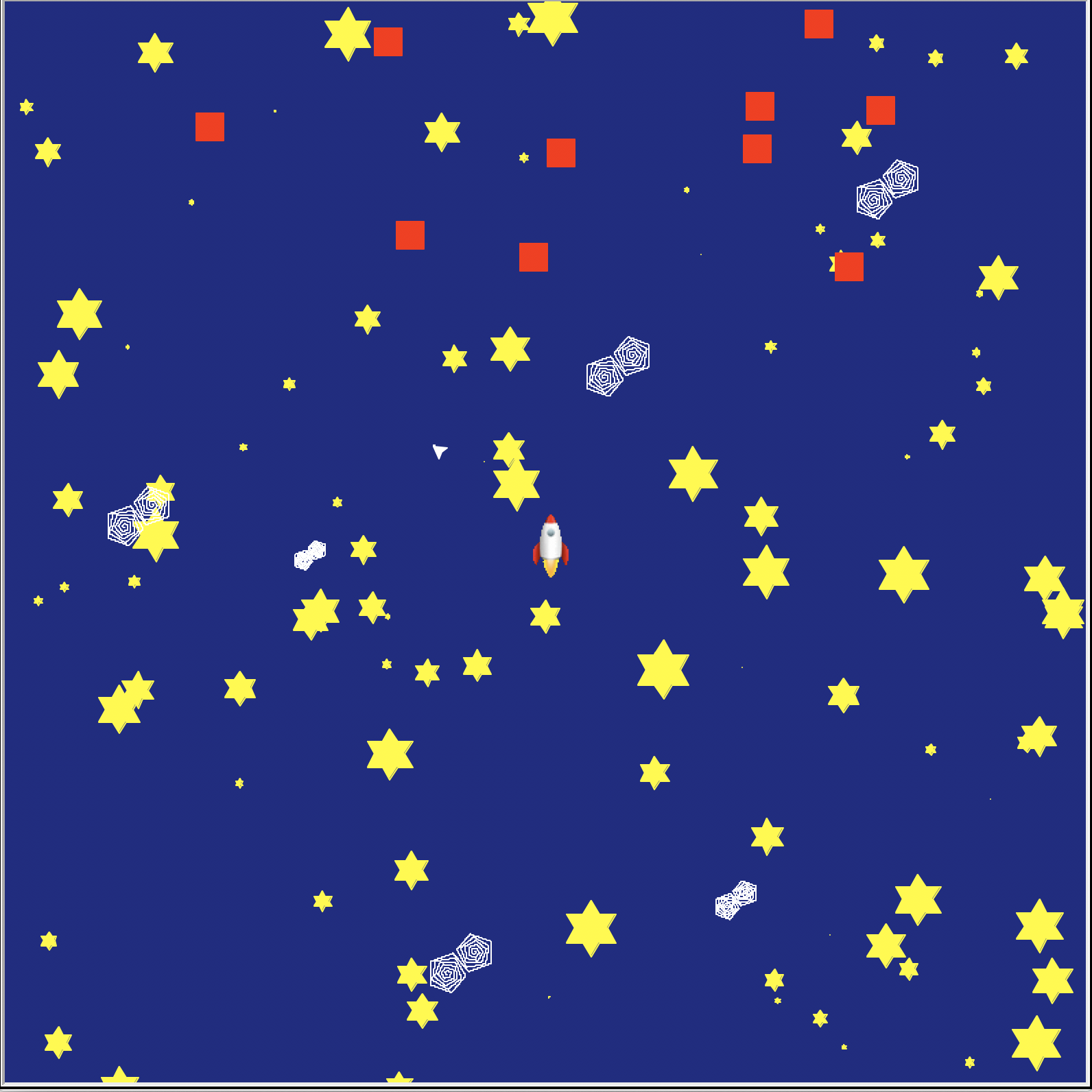
In this project, you will explore event-based programming by creating a simple video game that roughly approximates the 70s arcade game Asteroids. Specifically, we will use callbacks, timer events, keyboard button events, and collision detection.
- Project 10: Asteroids
Tasks
P1. Add enemies to the game
In this task, you will create a number of enemy turtle objects that move randomly.
P1a. Define a boundary region to contain the enemies
In your constructor, create four hard-coded int instance variables, defining the minimum and maximum x and y positions that game enemies can occupy (the enemy boundary). For example, this could roughly correspond to the top third of your screen. You can always change this later.
P1b. Create a method for placing an enemy randomly in the enemy region
Create a method with the signature def placeEnemyRandomly(self, turt):, which will move the Turtle object turt to random coordinates within the enemy boundary you defined in the constructor.
P1c. Write a method to create some number of enemies
Create a method with the signature def makeEnemies(self, n): It should
- Create
nTurtleobjects and store them in a list. - Change their shape to a square (
turt.shape('square')) and set the color according to your preferences. - Pick up their pens and call
self.placeEnemyRandomlyon each enemy. - Return the list of enemy
Turtleobjects.
P1c. Create the enemies and test the game
Call makeEnemies from your Game constructor, assign the return value to an instance variable (e.g. self.enemies). Either hard code n (number of enemies in the game) or make it a keyword argument in your constructor.
Run your game. You should see stationary enemy square objects in their designated boundary.
Take a screenshot of the enemies randomly placed on the screen. This is Required documentation 2 for your project.
P2. Move the enemies randomly
In this task, you will create a timer event to randomly move the enemies over time.
P2a. Make the enemies move
Create the method def moveEnemiesRandomly(self):. It should set each enemy's position to the current position plus a small random (x, y) offset.
Reminder: The list of enemies is an instance variable.
P2b. Add a timer event to make the enemies move repeatedly
In setupEvents, create a timer using the ontimer method that will automatically call moveEnemiesRandomly 50 msec after the game starts. The syntax is:self.screen.ontimer(<method name to call>, <int: wait time in msec>).
The ontimer method only will call the moveEnemiesRandomly method ONCE 50 msec in the future, but we want to continue moving them every 50 msec indefinitely. To do this, add an identical timer at the end of moveEnemiesRandomly.
P2c. Test out enemy movement
Run your game. You should see your enemies moving on the screen!
P3. Collision detection
You will create another type of timer event to have the enemy take an action when the player collides with it.
P3a. Parameterize what it means to collide with an enemy
Add an instance variable to the constructor that defines how close the player needs to get to an enemy for the game to register that a collision happened (collision radius). You may wish to make a keyword argument for this in the constructor. A reasonable default value is 30 pixels.
P3b. Create a method to check for an enemy collision
Create the method: def checkForCollisions(self):. It should:
- Calculate the distance between the main player and each enemy.
- If the distance is less than the collision radius, print "BOOM!" and call
placeEnemyRandomlyon the enemy that the player collided with.
Hint: You can use Euclidean distance. It would also suffice to check whether the absolute difference between the main player and the enemy in both x and y is less than the collision radius.
P3c. Add a timer event to check for collisions with the enemies repeatedly
Add a timer callback in setupEvents to check for collisions.
Add an identical timer callback at the end of checkForCollisions.
P3d. Test out enemy collisions
Run your game. Test it by colliding with an enemy. Something should happen!
P4. Documentation
In your screen recording demo all the functionality of your game. That includes at a minimum, moving the main player around the screen and colliding with an enemy. This is required documentation 3 in your report.
I suggest using the screen recording feature of Quicktime on macOS or Xbox Game Bar on Windows 10.
If you have trouble including the video in your Google Doc report, no problem, just include it in your project folder.
For your Art Reflection look into arthouse games. Which one do you find interesting? Why? Do you believe that video games can be art? Why or why not?
Check reproducibility
In order to grade your project, we need to be able to run your code and get the same results as you do! In your project submission ZIP file, please include files that are needed run your code.
Here is a summary of the expected outputs from each of the source code files that you created:
python3 asteroids.py: Opens a window with your game running.
If you use command-line arguments, please explain what they are and provide an example way to run your code in either code comments or your report.
Extensions
Congratulations on completing the core tasks! If your code and report meet the above expectations, you’ve already earned up to 26/30 points for this project.
The remaining 4/30 are a chance for you to earn credit for exploring parts of this project and digging deeper to express your creativity! This is entirely optional; 26/30 is a B and is a perfectly respectable place to stop. Extensions are open-ended and exist to compliment the structured core project. Explore and learn something new that interests you! Concentrating your energy on 1-2 "deep" extensions that challenge you will earn you more points than many small, "shallow" extensions.
You can pick your own topics that interest you. Here are a few examples:
- Add a start screen. This does not have to have any moving parts, but it can. It should tell the user how to begin the main phase of the program.
- Add a final screen. This does not have to have any moving parts, and it does not have to allow the user to replay the main phase. It can simply exit when the user provides the right input. Ideally, you want to tell the user something about their experience in the main phase, such as a final score.
- Add missiles (bullets) / enemy collisions with missiles
- Prevent the player/enemies from leaving the screen boundaries.
- Add and maintain a score.
- Make enemies move along linear or prescribed paths.
- Spawn new enemies periodically.
- Create a type of enemy that requires more than 1 collision with the player (or bullets fired by the player) to vanish.
- Add obstacles / barriers.
- Make the background artwork change or an element in it move when the player moves to a special location.
- Make your program replayable so the user can return to the start screen from the final screen and replay the main phase.
- Make your program/game have more than one level.
- Add a physics engine to your game. You could simulate the way that gravity (easy), momentum, and/or spring forces and damping (impressive!) would influence the motion of objects on your screen.
Submission checklist
To turn in your project, make sure you do all of the following:
- Check the rubric in Google Classroom and make sure your report and code contain all the required parts.
- Move your lab folder inside your project folder (i.e. drag the
Lab10folder insideProject10). - Create a zip file of your project.
- Attach (drag) the zip file to the posted project assignment on Google Classroom.
- Click Turn In on your Google Doc report on Google Classroom.