Project 05 |
Goals
- Implement a digital high pass filter and digital low pass filter.
- Compare the results of the digital low pass filter to the analog low pass filter.
|
Setup |
Setup
Start with your code from Lab 5.
Save it as a new Arduino project titled colbyUsername_P05 (with your colby username, mine would be hewolfe_P05).
Timer Setup
Starting with the compare match timer1 from the lab, modify your prescalar and OCR1A so that the timer is called at a frequency of 16kHz.
Library Setup
Create a library filter, create headers in the .h file, and implement the functions in the .cpp file.
Add a header guard to the top of filter.h
In this project you will be creating a FilterOnePole struct.
|
Single Pole Recursive Filter (IIR) |
Single Pole Recursive Filter (IIR)
Highpass and lowpass filters can be used to cancel out high frequency or low frequency noise.
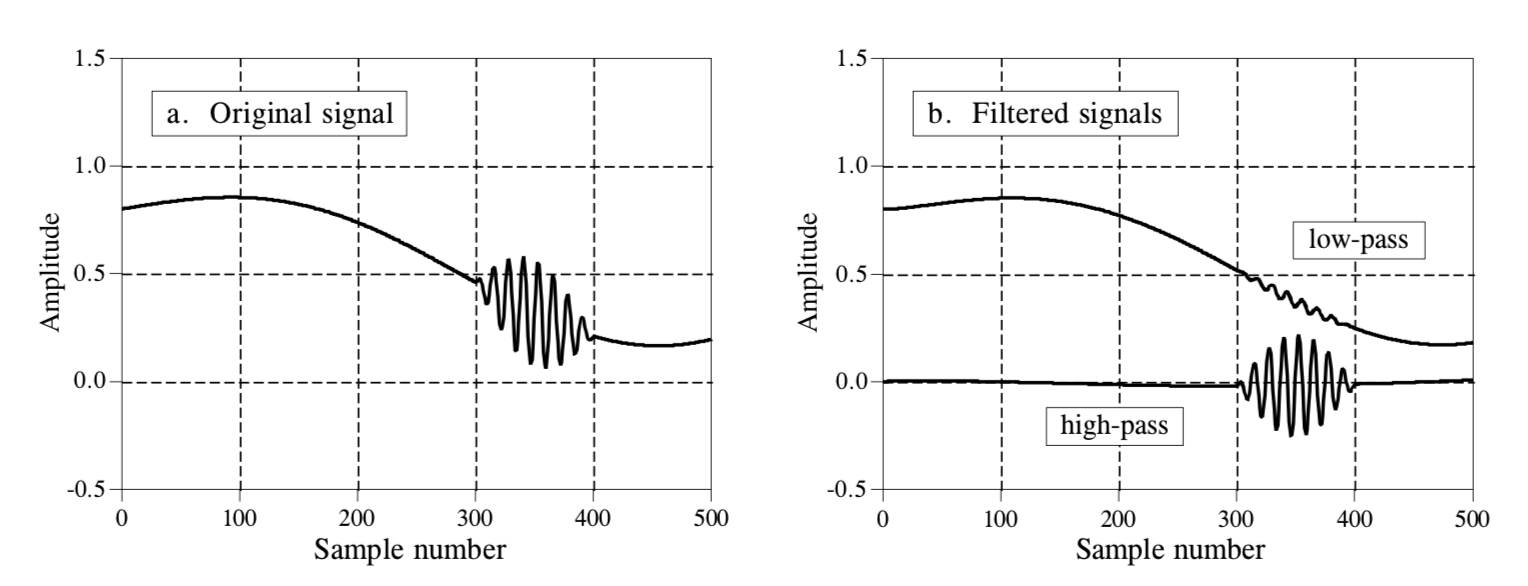 A great introduction to digital filters is available here: Introduction to Digital Filters, and page 7 onward talks about Recursive Filters (IIR).
The algorithm below references Chapter 19 Recursive Filters of The Scientist and Engineer's Guide to Digital Signal Processing.
- First, you have to convert the cut off frequency to the filter's time constant in micro-seconds. The filter's time constant τ (in seconds) is 1/ ω, or 1/AngularVelocity.
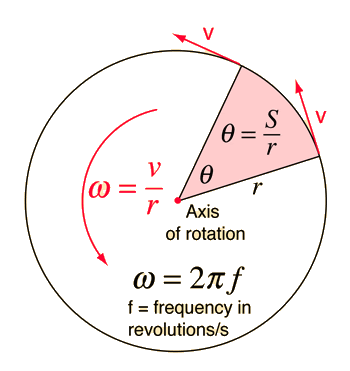
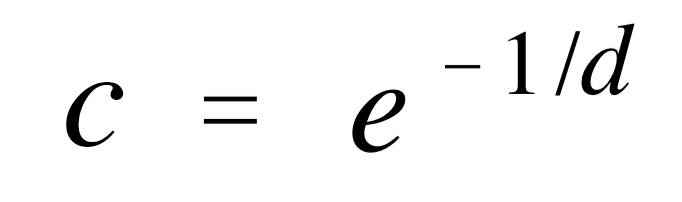
- tausSamples (d) is the time constant τ divided by the length of our sample.
- c, our ampfactor (which is used in deriving a0, a1, etc) is
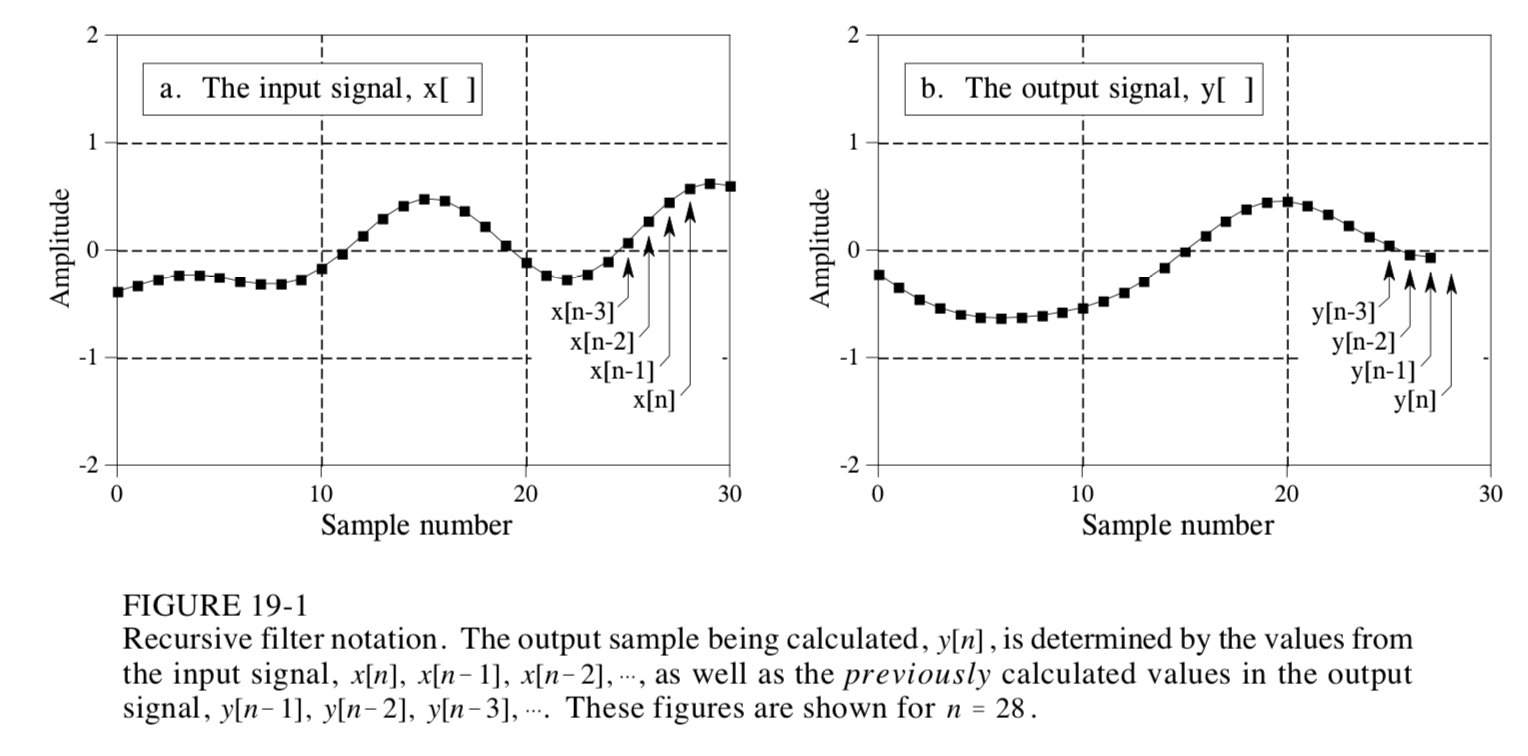
- The general form of Y, our output signal, is

- Lowpass and highpass filters are first order filters so they only include y[n] = a0x[n] + a1x[n-1] + b1y[n-1]
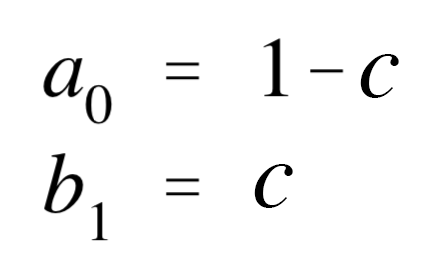
- For a lowpass filter, our constants are
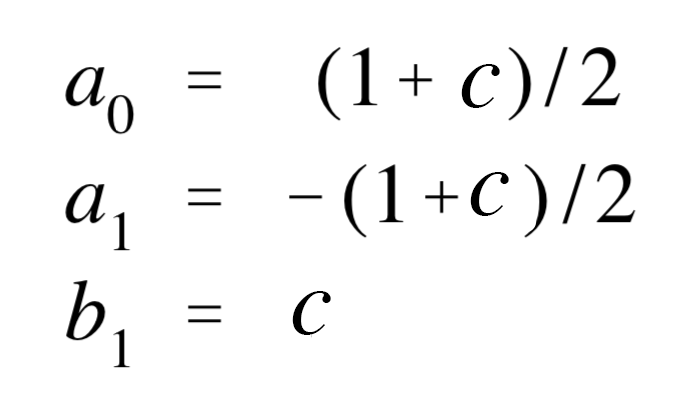
- For a highpass filter, our constants are
In the global scope, define the high pass and low pass filter instances.
Then update the input value to get the filtered output value in the interrupt.
Using your code from lab to calculate the filtered peakToPeak.
|
Analysis |
Test your code
- Create a copy of your project and rename it colbyUsername_P05_test.
- Modify your interrupt to generate a signal that should be filtered out by your filter. Test to see if this is the case.
- Test different signals, different cut off frequencies and both high and low pass filters.
- Document your test results and include them in the report.
Analysis
- Test different frequencies using a frequency generator and frequency cut offs. See how your filter effects the microphone's signal.
- Systematically test different frequencies and different frequency cut offs. Record your and interpret results.
|
Extension |
Major Extension
Design and implement an idea for a new project which involves adding new components and modifying the circuitry.
- It must incorporate the materials from this project; the microphone and RGB LED.
- It must include atleast one of the following components: a piezo element, bluetooth, accelerometer, the IR emitters, IR receivers, and/or the vibrating motors.
- It can include potentiometers, buttons and/or red LEDs.
Document your major extension:
- Submit your code on filer in a folder inside your project folder.
- A 1-3 minute video of the system working.
- A description of the extension.
- A circuit diagram.
- A photograph of the circuit board.
- A section on implementation.
- A section on results & reflection.
|
Submission |
Submit your code on Filer
Submit your arduino code in a folder titled colbyUsername_P05 and your test code colbyUsername_P05_test.
Submit your report and video on Google Classroom
Upload a 1-3 min Documentation Video of your project working. Describe what is happening.
Attach a Google Doc Report which includes:
- Photo of circuit. Clear photo of the circuit in which the wiring is clearly visible.
- Implementation Section
- Explain how you implemented the project.
- Explain what algorithms or techniques you used.
- Results & Reflection Section
- How well does your implementation work?
- What were the results of your tests?
- What were the results of your analysis?
- Acknowledgements Section
- What resources did you use? Include websites, books and anyone you received help from or discussed the project with.
|